

Messenger 586.0.0.55.92
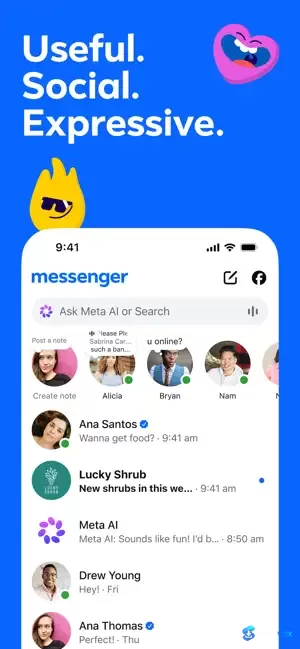
Messenger lets you chat with your Facebook friends directly from your desktop, without needing a browser. Keep your conversations going without switching tabs. You'll get real time notifications for new comments, photo tags, and more, so you never miss an update.
- Free
- Android
- iOS
- Nov 3, 2026
Screenshots

About Messenger
Messenger Download | Chat, Call & Share Without a Phone Number
TL;DR Quick Take / Who is this for?
Messenger is Meta’s free messaging app for reaching anyone in your Facebook network without exchanging phone numbers. It handles text, voice, video calls, HD photo sharing, and file transfers up to 100 MB, and it now encrypts personal chats and calls end-to-end by default. The service is strongest for people whose social circle already lives on Facebook: the network reach is immediate, and you can message someone you have never texted before simply because you are connected on Facebook. The big caveat in 2026 is desktop support. Meta shut down the native Messenger apps for Windows and macOS on 15 December 2025, and the standalone messenger.com website is being retired in favour of messaging through Facebook itself. On mobile, the app is polished and feature-rich, but it is also heavy at around 238 MB and supported by advertising and behavioural data collection. Messenger is the right pick when your contacts are on Facebook and you want a single app for chat, calls, and group sharing. It is not the best choice for users who want a lean, privacy-minimal messenger, or for anyone who refuses to have a Facebook account.
Quick Info Box
| License Type | Freeware (ad-supported; optional in-app purchases) |
|---|---|
| File Size | About 238 MB (mobile); desktop apps discontinued |
| OS Compatibility | Android, iOS, and web via Facebook; native Windows and macOS apps retired December 2025 |
| Latest Version | 586.0.0.55.92 (Android, November 2026); rapid release cadence on iOS |
| Developer | Meta Platforms, Inc. |
Key Features & Real-World Usability
Messenger has grown from a simple Facebook chat window into a broad communication platform. The core loop is still the strongest part: you open the app, see your Facebook contacts, and start a conversation without asking for a phone number. That single design choice remains the app’s most practical advantage in 2026. Beyond texting, the app supports HD photo sending, shared albums inside group chats, QR-code contact adding for people you meet in person, and direct file sharing up to 100 MB for Word, PDF, and Excel documents. Meta AI is woven into the conversation interface for quick lookups and drafting help where the feature is available. Personal chats and calls now use end-to-end encryption by default, so message content is protected from the moment it leaves your device to the moment it reaches the receiver. The trade-off for all this capability is weight and complexity. The mobile install is roughly 238 MB, well above leaner messengers, and the interface has accumulated fifteen years of features, which can make navigation feel cluttered. On desktop, the experience has narrowed sharply: the native apps are gone, and the standalone web messenger is being phased out in favour of messaging through Facebook’s website. For mobile users, the package is cohesive; for desktop users, the direction is clearly toward the browser and the Facebook ecosystem.
- Default end-to-end encryption: Personal chats and calls on Messenger are encrypted end-to-end by default, meaning nobody, including Meta, can read the content unless a message is explicitly reported.
- No phone number required: You can reach anyone in your Facebook contact graph without exchanging numbers, which remains a genuine differentiator against SMS-based and number-bound messengers.
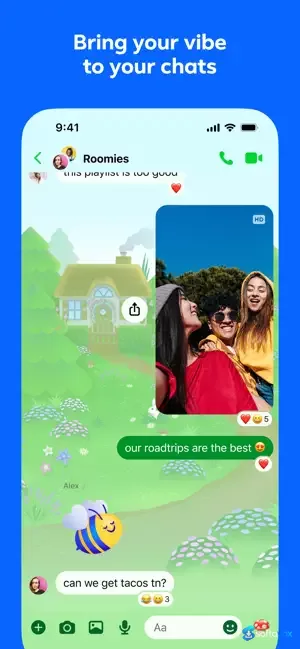
- HD photo and album sharing: Photos are sent at higher quality than compressed MMS, and shared albums let groups collect memories in one place without switching apps.
- 100 MB file transfers: Documents, PDFs, and spreadsheets can be sent directly in chat, covering most everyday work and personal sharing needs.
- Message editing and unsend: You can edit a message up to 15 minutes after sending, and unsend messages that went out too soon.
- Disappearing messages: In end-to-end encrypted chats, you can choose how long messages stick around after they have been read.
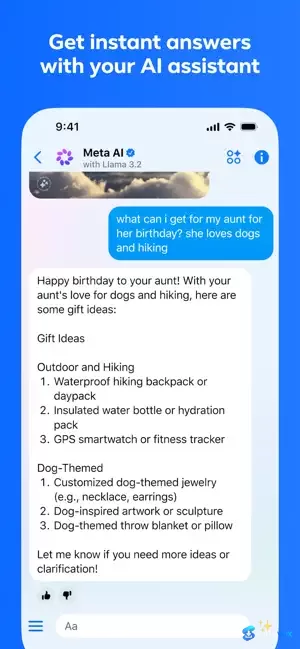
- Meta AI assistance: An AI assistant is available inside the conversation interface for answers, advice, and drafting help in supported languages and countries.
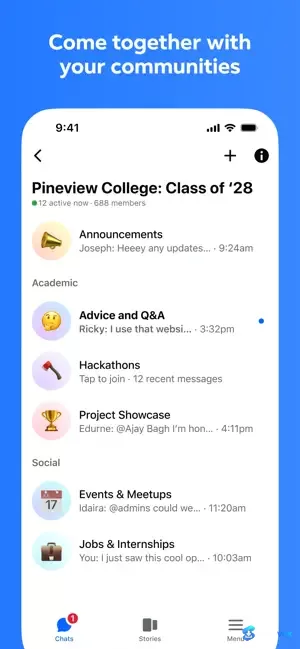
- Communities and broadcast channels: Group spaces for schools, neighbourhoods, and interest groups, plus creator broadcast channels for staying in the loop.
Pros, Cons & Community/User Feedback
User sentiment around Messenger is broadly positive on performance but sharply divided on privacy and platform direction. The app carries a 4.66-star average across roughly 13 million ratings, and a separate 2026 review analysis puts positive customer experience at 68.4% against 30.9% negative. Reviewers frequently praise the speed, straightforward interface, and call quality over both Wi-Fi and mobile data, and the network-reach argument holds up in practice: no phone number exchange is needed to message someone you know through Facebook. The most common complaints are not about core messaging reliability but about the surrounding experience. Users report that messages sometimes show as sent but not delivered, that the app constantly asks for a phone number during sign-in, and that the interface has become cluttered with features and wasted white space after design changes. Privacy is the deeper fault line. Messenger is free and ad-supported, and it operates inside Meta’s advertising ecosystem, using conversation metadata and behavioural signals to inform ads across Meta’s platforms. Users who prioritise minimal data exposure consistently describe Messenger as a difficult fit, while users already embedded in the Meta ecosystem tend to accept the trade-off for the convenience. The desktop shutdown adds a practical frustration: users who relied on the native Windows and macOS apps have been pushed toward the browser and, eventually, toward Facebook itself.
Pros
- Reach anyone in your Facebook network without exchanging a phone number
- End-to-end encryption is now the default for personal chats and calls
- HD photo sending and shared group albums produce noticeably better media sharing than MMS
- Direct file transfers up to 100 MB cover most everyday document sharing
- Message editing, unsend, and disappearing messages add practical control
- Strong mobile performance and call quality across Wi-Fi and mobile data
- 4.66-star average across roughly 13 million ratings suggests broadly reliable day-to-day use
Cons
- Desktop apps for Windows and macOS were permanently shut down in December 2025
- The standalone messenger.com website is being retired, pushing desktop users toward Facebook
- Heavy mobile install at roughly 238 MB, well above leaner messengers
- Ad-supported and tied to Meta’s broader behavioural data and advertising ecosystem
- Interface clutter and wasted screen space draw recurring complaints after redesigns
- Users report messages showing as sent but not delivered, and repeated phone-number prompts at sign-in
- Requires a Facebook account; you cannot use the service as a standalone number-based messenger
Final Verdict & Safe Download Advice
Messenger is still the most practical way to message your Facebook contacts, and the arrival of default end-to-end encryption makes the privacy story stronger than it was a few years ago. The mobile app is polished, the network reach is unmatched for Facebook users, and the feature set covers text, calls, HD media, albums, and document sharing in one place. The platform direction is the real issue. Meta has closed the desktop apps and is narrowing the web experience toward Facebook itself, so anyone who wants a dedicated desktop messenger should adjust expectations now rather than after the next shutdown. The app is also heavy, ad-supported, and deeply tied to Meta’s data practices, which makes it a poor fit for privacy-minimal users. If your contacts are on Facebook and you want one app for chat and calls, Messenger is a reasonable default. If you want a lightweight, cross-platform messenger with a clearer privacy posture, Signal or Telegram are better technical fits, even though they require you to rebuild your contact list.
- Download only from official sources: Get the mobile app from Google Play or the Apple App Store. Avoid third-party APK sites and “Messenger for PC” download pages, which are a common vector for adware and modified installers.
- Verify the installer and developer name: On Android, the developer should be Meta Platforms, Inc.; on iOS, the seller should be Meta. A different publisher name is a warning sign.
- Do not install unofficial desktop wrappers: Because Meta retired the official Windows and macOS apps, third-party “Messenger desktop” clients have appeared. These are not official and may collect credentials or inject ads.
- Use the browser for desktop access: Access Messenger through your Facebook account in a browser rather than downloading an unverified desktop client. Keep the browser updated and avoid saving your password on shared machines.
- Review the privacy label before installing: Messenger requests broad permissions, including contacts, microphone, camera, and location. Check the App Store or Play Store privacy label and disable permissions you do not need.
- Turn on encrypted chat backups carefully: If you use end-to-end encrypted chats, set a secure storage PIN you can remember. The web and mobile experience relies on that PIN to restore encrypted chat history.
See all Social & Messaging programs (1) ›
Key features
- Free messaging via Facebook, reach anyone in your Facebook network without exchanging phone numbers
- Text, voice, and video calls, one app for chat and calls
- Default end-to-end encryption, personal chats and calls encrypted by default
- HD photo sharing and shared albums, better media quality than MMS; group albums in chat
- File transfers up to 100 MB, send Word, PDF, Excel, and other documents directly
- Message controls, edit up to 15 minutes, unsend, and use disappearing messages in encrypted chats
- Meta AI assistant, available inside chats in supported languages/countries
- Communities and broadcast channels, group spaces and creator updates
- Mobile + web access, Android, iOS, and web via Facebook
Frequently asked questions about Messenger
Is Messenger free to use?
Do I need a phone number to use Messenger?
Is Messenger end-to-end encrypted?
Can I use Messenger on desktop?
How big is the Messenger app?
What can I send on Messenger?
Does Messenger collect data for ads?
What are the most common complaints about Messenger?
Are there safer alternatives to Messenger?
Where should I download Messenger?
Are third-party desktop clients safe?
How do I restore encrypted chat history?
Versions
| Version | Release date | Platform | File size | |
|---|---|---|---|---|
| Messenger 586.0.0.55.92 Latest version | Nov 3, 2026 | AndroidiOS | Download |
Comments about Messenger
No comments yet. Share your experience with this program!